

Test Code block
Now brainstorm apps for Apple Vision Pro
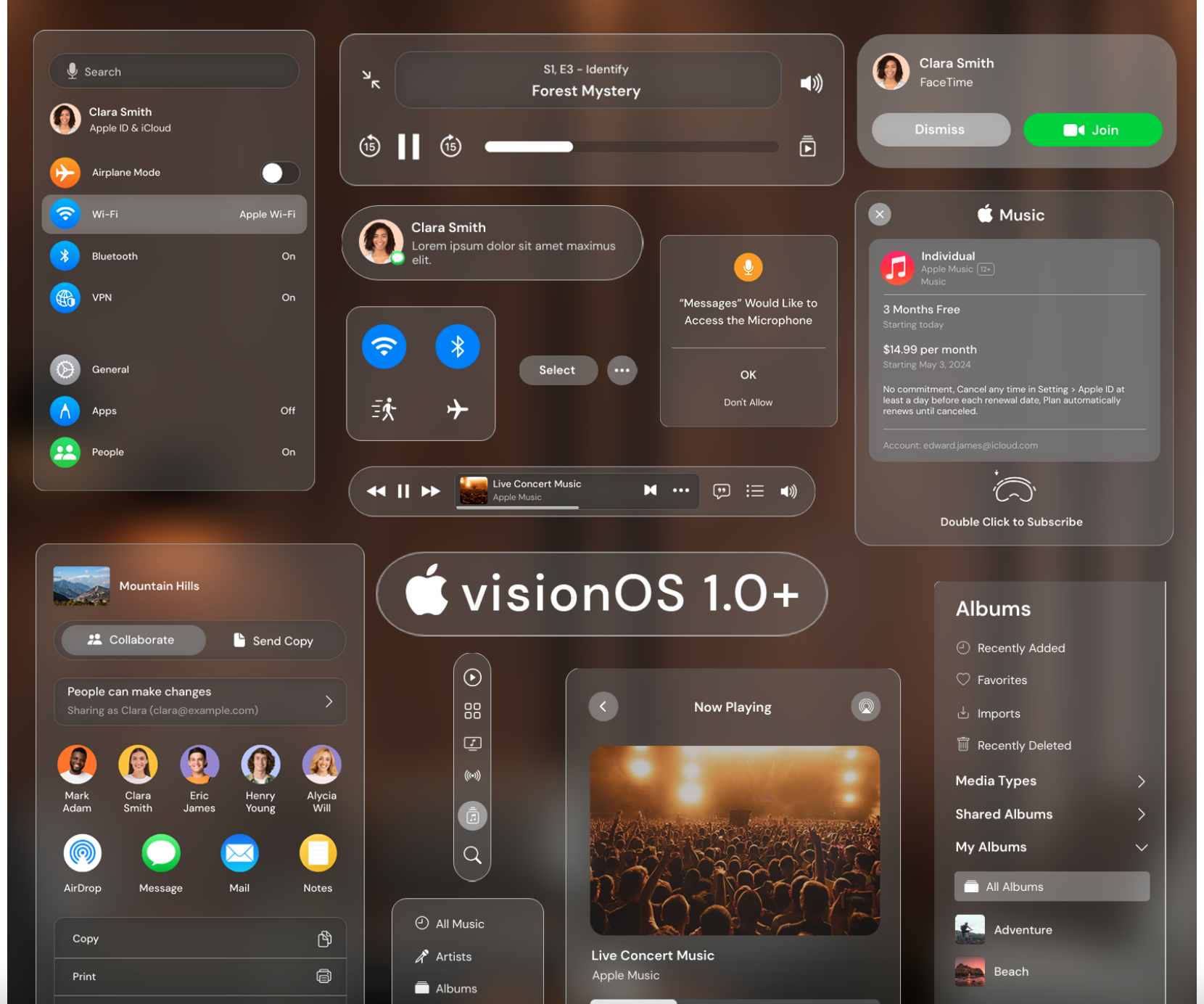
Introducing a new UI kit for Apple VisionOS with over 132 wireframe components.
Vision Pro is a next generation VR device from Apple. Long time after watch (first released in 2016), Apple is trying to establish entirely a new device line. Which means a new way on how users interact with the UI with altogether a different user experience. VisionOS that powers this device is built from ground up for AR and VR.
Like any other UI, straightforward implementation or prototyping of your application will only cost more time and resources. It also provides few opportunities to make decisions and choices. It is always better to wireframe your idea first to avoid these. UI kit for VisionOS helps with you bring out your ideas to picture and helps you to convey your layout, process, features even before implementation starts.
Here are some example UI screens that was created with this UI kit
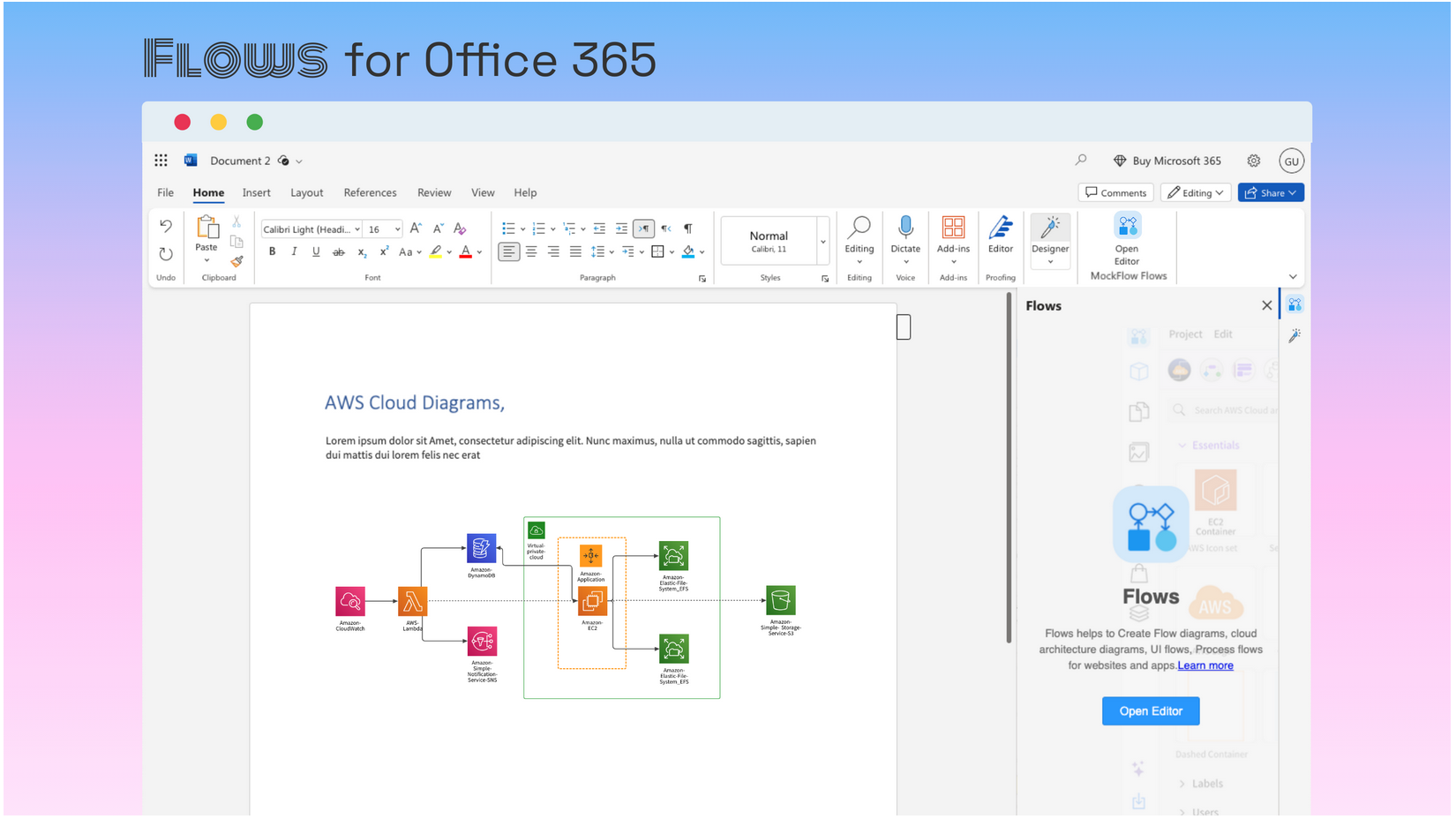
Introducing Flow app integrations for Microsoft Office 365

Improved insights for DesignSpace
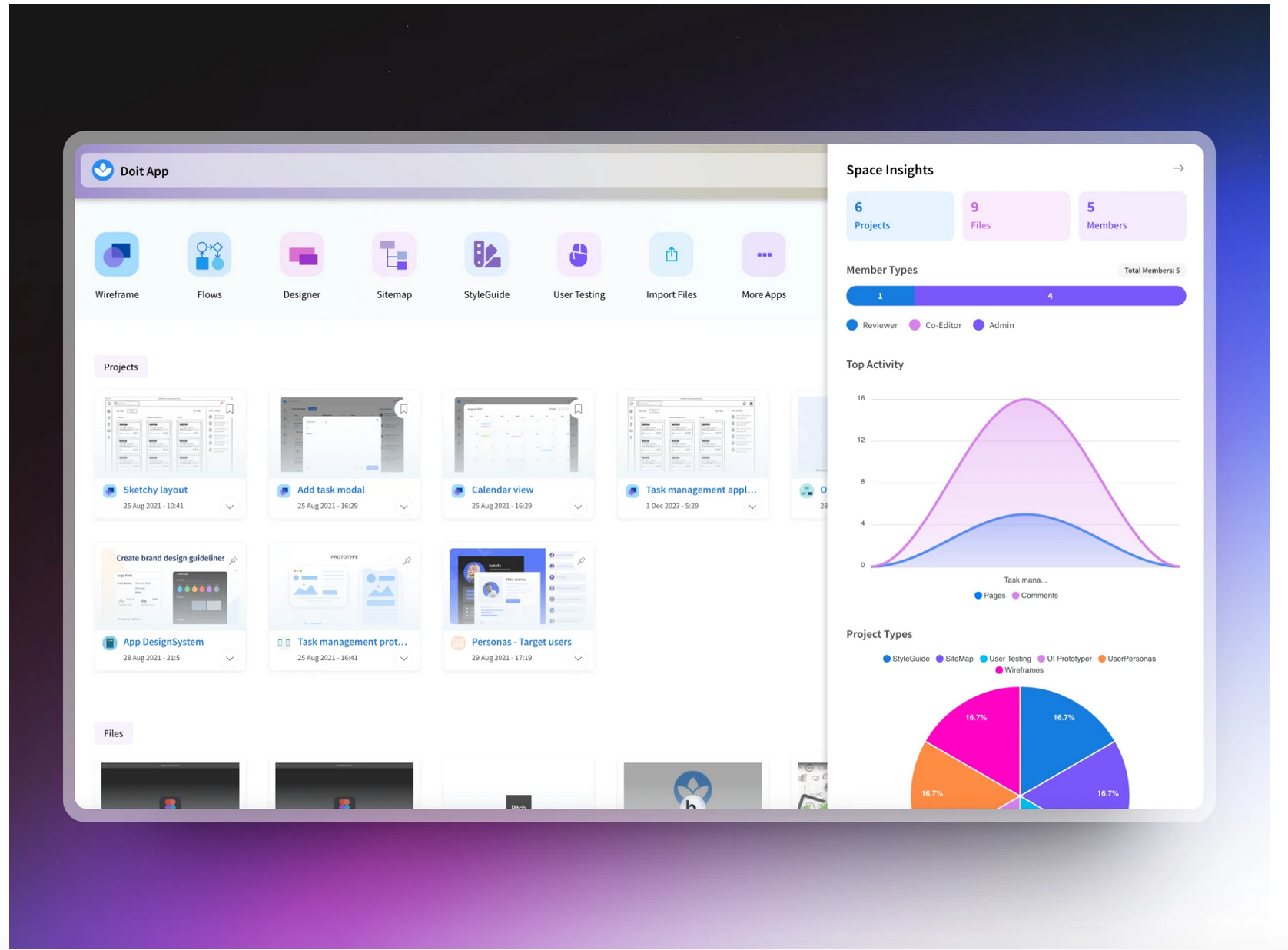
In today's update, we have overhauled design space insights with better graphics and more informative charts that speaks about your design projects.
Next to wireframing, MockFlow is known for its design project orgranization as it brings tools, files and members together under one roof. With design spaces, it is easy to organize, manage and share design projects just like a folder but better than that. Each design space comes with an insights button where it displays key information about what is happening in that space like top creators, project types, activity and more.
With just a click and a glance, check how your design space has evolved with your project and how your collaborators are involved. Space insights are useful in multiple cases like in agency-client relationship, client can have a better view of their agency's work progress. In a business related design space, it offers how their project uses different aspects of design to bring it together.
This is just the start, more features like activity timeline, AI related insights and integrations with regard to your design project organisation is coming soon to design spaces.
Not just Sketchy wireframes, now draw sketchy UI flows, flow charts and diagrams
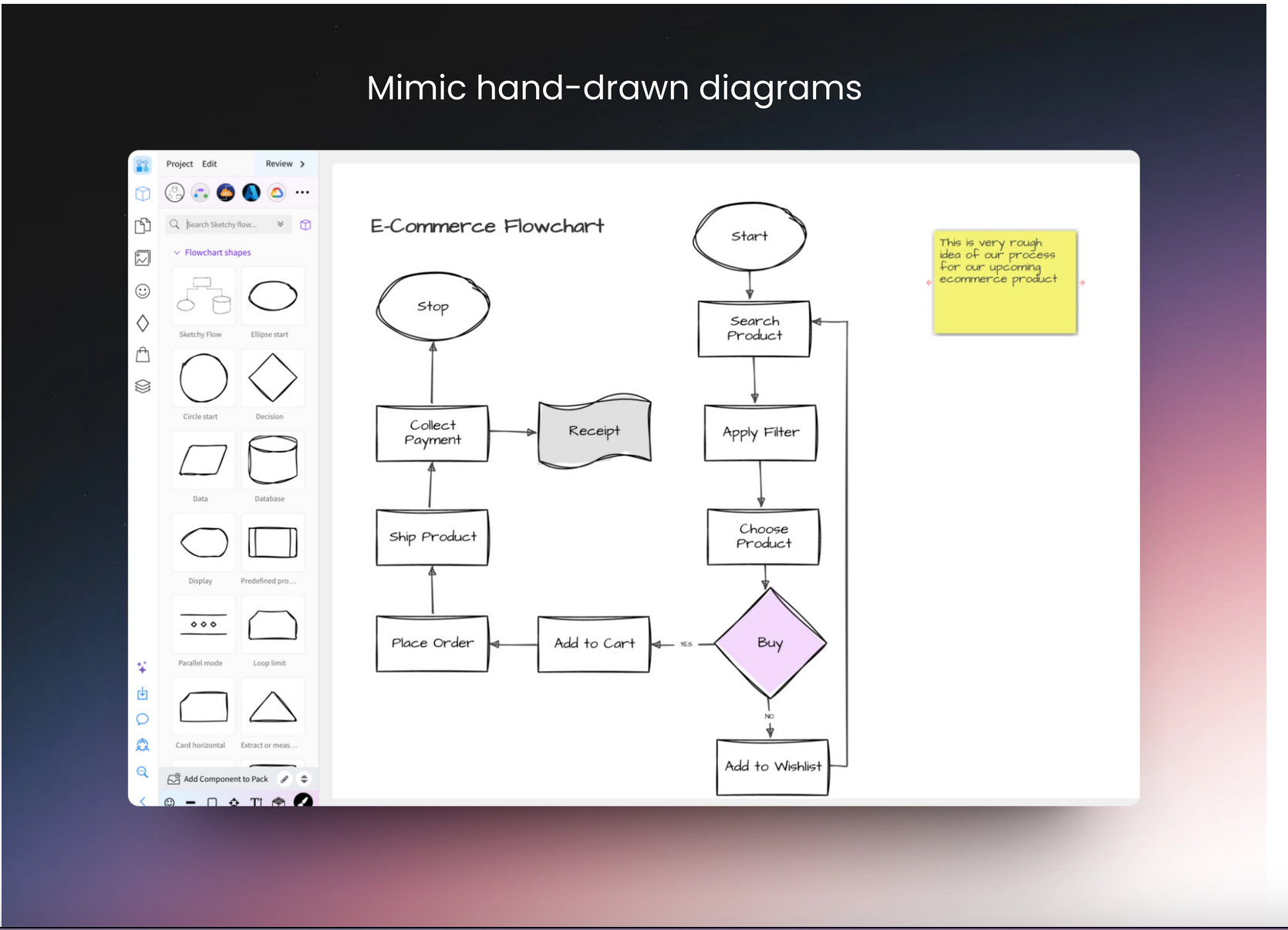
MockFlow now offers full support for drawing UI flows, flow charts and diagrams in sketchy format with a hand-drawn look and feel just like our UI wireframes.
MockFlow is all about bringing your ideas to the digital realm. Ideas in its original form, are usually rough, incomplete with lots of open-ended questions. However ideas are the core of your next product, upcoming major release. It is important for product managers, CEOs, CTOs to bring these ideas to the table in a format that can be easily conveyed, collaborated and worked upon with their team. At the same time it is important to represent the diagrams as though it was sketched on a piece of paper to make sure it visualizes only the idea stage.
In this latest release, we are excited to provide full support for drawing sketchy diagrams and UI flows. Just like wireframes, simply select the sketchy Flow pack and also enable sketchy drawing for connectors. Note: Connector animations and all other aspects still work in sketchy format.
The above features is available in all plans including Free.